
Guide to KT(Korea Telecom) KOREA eSIM, SIM card, and WiFi Router for Foreign Tourists in Korea
Why Staying Connected in South Korea Matters
South Korea is widely recognized as one of the most technologically advanced countries in the world. With lightning-fast internet speeds and near-universal coverage, the digital infrastructure is a highlight of the travel experience. However, for a foreign tourist, navigating the local telecommunications landscape can be daunting. Whether you are using Naver Maps to find a hidden restaurant in Seoul, translating menus in Busan, or sharing your adventures on social media, having a reliable data connection is not just a luxury—it is a necessity for a smooth trip.
KT, formerly known as Korea Telecom, stands as one of the “Big Three” mobile carriers in South Korea. Because of its extensive network coverage, high-speed 5G implementation, and dedicated services for international visitors, it is often the top choice for travelers. Understanding the differences between eSIMs, physical SIM cards, and portable WiFi routers is the first step toward ensuring you remain connected without overspending or facing connectivity gaps.
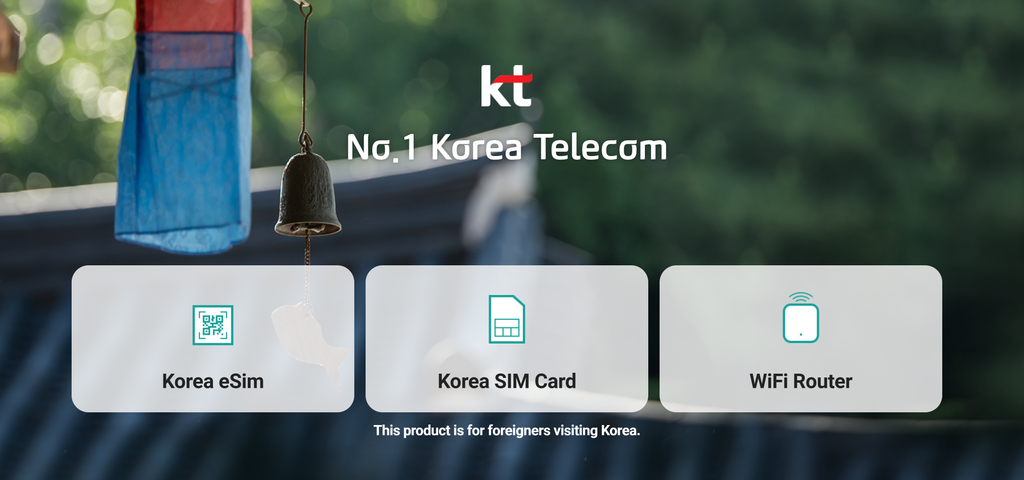
Understanding Your Connectivity Options
Before deciding which service to purchase, it is important to understand the three primary ways to access the internet in Korea. Each method serves a different type of traveler, and your choice will depend on your phone compatibility, travel style, and budget.
The Rise of the KT eSIM
The eSIM (embedded SIM) is the most modern and convenient way to stay connected. Unlike a traditional physical SIM card, an eSIM is a digital version that you activate by scanning a QR code provided by KT. This is a game-changer for tourists because you do not need to remove your home SIM card, allowing you to keep receiving SMS messages from your home bank or family while using a local Korean data plan.
To use an eSIM, your smartphone must be unlocked and eSIM-compatible. Most modern smartphones, including iPhone XS and newer models, as well as many recent Samsung Galaxy and Google Pixel devices, support this technology. The primary advantage is the lack of physical hardware; you can purchase your plan online before you even board your flight, and activate it the moment you land at Incheon or Gimpo Airport.
Traditional Physical SIM Cards
The physical SIM card remains the most reliable option for travelers with older smartphones or those who prefer a tangible setup. When you purchase a KT tourist SIM, you receive a small chip that you insert into your device’s SIM tray. This replaces your home SIM card, meaning you will lose access to your home phone number unless you have a dual-SIM phone.
Physical SIMs are excellent for travelers who plan to stay in Korea for an extended period. They are robust, easy to swap if you have multiple devices, and widely available at airport kiosks. KT offers various packages, ranging from a few days to a full month, with options for data-only or data-plus-voice plans.
Portable WiFi Routers
A portable WiFi router, often called a Pocket WiFi or Egg, is a small hardware device that creates a mobile hotspot. It connects to the KT 4G or 5G network and broadcasts a WiFi signal that you can connect your phone, laptop, or tablet to. This is the ideal solution for groups of travelers or families who want to share a single data plan.
Instead of buying individual SIM cards for three or four people, one person can carry the router, and everyone else connects to it. While it requires carrying an extra device and keeping it charged, it provides a stable and secure connection for multiple devices simultaneously. Many KT rental counters at airports offer easy pickup and drop-off services for these routers.
Comparing KT Service Features
Choosing the right service requires looking at your specific needs. Here is a breakdown of how these three options compare across different categories.
| Feature | eSIM | Physical SIM | Portable WiFi |
|---|---|---|---|
| Setup Process | Scan QR Code | Insert physical card | Connect via WiFi password |
| Device Requirement | Unlocked, eSIM compatible | Unlocked phone | Any WiFi-enabled device |
| Number of Users | Individual | Individual | Multiple (up to 5-10) |
| Battery Usage | Low impact | Low impact | Requires daily charging |
| Phone Number | Usually data only | Data + Voice options | None |
How to Select the Best Option for Your Trip
The “best” option is subjective and depends heavily on your itinerary. Here are some scenarios to help you decide.
- The Solo Tech-Savvy Traveler: If you are traveling alone and have a modern, unlocked phone, the KT eSIM is your best friend. It is inexpensive, requires zero physical hardware, and keeps your home SIM active for important notifications.
- The Long-Term Traveler or Digital Nomad: If you are staying in Korea for more than two weeks, a physical SIM card is often more cost-effective. It is also easier to manage if you need to visit a KT service center to extend your plan.
- The Family or Group of Friends: Renting a portable WiFi router is the most economical choice. You can split the rental cost among your group, and everyone stays connected without needing to configure individual phones.
- The Business Traveler: If you need to stay connected on multiple devices (like a laptop and a tablet) while working from cafes, a portable WiFi router provides a secure and consistent connection that is superior to public WiFi.
Common Misconceptions About Korean Telecom
There are many myths surrounding travel connectivity in Korea. Clearing these up will save you time and frustration.
Misconception 1: Public WiFi is everywhere, so I do not need a plan
While it is true that Korea has public WiFi in many subways and government buildings, it is not a reliable way to navigate. Public WiFi often requires a local phone number for authentication or is restricted to residents. Trying to rely on public WiFi while navigating the winding streets of Seoul or the mountains of Seoraksan will likely lead to you getting lost.
Misconception 2: My home carrier’s international roaming is enough
Most home carriers charge exorbitant daily fees for international roaming. These services can cost upwards of $10 to $15 per day, which adds up quickly during a week-long trip. Purchasing a KT tourist plan is almost always significantly cheaper and provides much faster speeds.
Misconception 3: You need a Korean Alien Registration Card to get a SIM
This is only true for long-term residency plans. For tourists, KT offers specific “Tourist SIMs” and eSIMs that only require a valid passport for identification. You do not need to be a resident to enjoy high-speed 5G connectivity.
Practical Tips for Using KT Services
Once you have decided on your preferred method, follow these practical tips to ensure your experience is seamless.
Pre-booking is Key
Always book your eSIM, SIM card, or WiFi router online before you arrive. KT maintains dedicated websites for international tourists where you can pre-order your products. Not only does this guarantee availability, but it is often cheaper than walking up to a counter at the airport. You will receive a confirmation voucher that you can present at the KT Roaming Center in the arrival hall.
Check Your Phone Compatibility
Before purchasing an eSIM, visit your phone’s settings to ensure it supports eSIM technology. For physical SIMs, ensure your phone is “SIM-unlocked.” If your phone is locked to your home carrier, it will not accept a Korean SIM card. You can check this by contacting your home service provider before you leave your home country.
Data Usage Habits
Korea’s 5G and LTE networks are incredibly fast, which can lead to accidental high data usage. If you are on a limited data plan, remember to turn off automatic app updates and cloud backups for photos. Use WiFi at your hotel to upload large files or download maps for offline use.
Keep Your Documents Handy
When you pick up your physical SIM or WiFi router, you will be required to show your passport. Keep your passport in your carry-on bag rather than your checked luggage so you can easily access it at the airport kiosk.
Navigating the KT Airport Kiosks
Upon arriving at Incheon International Airport, the KT Roaming Centers are highly visible. They are usually located near the arrival gates. When you approach the counter, have your booking voucher and passport ready. The staff at these centers are highly trained and accustomed to helping international tourists. They will often insert the SIM card for you and ensure your data is working before you leave the counter.
If you are renting a portable WiFi router, the staff will show you how to turn it on, how to connect your devices, and how to use the charging cable. Pay close attention to the return instructions. Most travelers return their devices at the same location they picked them up, but some centers allow for returns at different terminals or locations. Make sure you understand the return process to avoid any late fees.
Troubleshooting Common Connectivity Issues
Even with the best technology, technical issues can arise. Here is how to handle the most common ones.
My eSIM is not connecting
If your eSIM shows no signal, first try toggling “Airplane Mode” on and off. If that fails, go to your cellular settings and ensure the KT eSIM is selected as the primary data line. Sometimes, you may need to manually select the network operator in your settings; choosing “KT” or “olleh” usually resolves the issue.
My physical SIM is not being recognized
If your phone says “No SIM Card Installed,” remove the tray and ensure the chip is clean and properly seated. Sometimes, the SIM card may shift during travel. If it still doesn’t work, try restarting your phone. If it persists, visit any KT service center in the city; they can quickly test the card and replace it if it is defective.
My WiFi router is running slow
If the connection speed drops, check the device’s battery level. Low battery can sometimes cause the router to throttle performance to save power. Also, ensure you are not too far from the router. Finally, if you have reached your daily data limit (if your plan has one), the speed may be throttled to 3G or lower until the next day.
Maximizing Value and Cost Effectiveness
Connectivity in Korea doesn’t have to be expensive. By following a few strategic steps, you can get the best value for your money.
- Choose Data-Only Plans: Most tourists do not need a local phone number for voice calls. Almost all communication in Korea—including contacting hotels, restaurants, and tour guides—is done through messaging apps like KakaoTalk or WhatsApp. Opting for a data-only plan is significantly cheaper than one that includes a local phone number.
- Use Official KT Channels: Avoid third-party resellers if possible. By booking directly through the official KT Roaming website, you eliminate middleman fees and ensure that you are getting the most up-to-date information and support.
- Monitor Your Usage: Many KT plans for tourists offer “unlimited” data, but there is often a “fair usage policy” where speeds are reduced after a certain amount of high-speed data is consumed (e.g., 2GB per day). Read the fine print of your plan so you know exactly what you are paying for.
- Consider the Length of Stay: If you are staying for exactly 5, 10, or 30 days, look for packages that match your exact duration. Buying a 30-day plan when you are only staying for 10 days is a waste of money.
The Importance of Local Apps
Once you have your KT connection, the true utility of your data plan comes from the local apps you can use. Having a fast, reliable connection allows you to use these tools effectively:
- Naver Maps: Google Maps is notoriously unreliable in South Korea due to government security policies regarding map data. Naver Maps is the standard for locals and works perfectly with English language settings. It provides accurate walking directions, bus routes, and subway information.
- KakaoTalk: This is the primary messaging app in Korea. You will find that even businesses and tour operators communicate via KakaoTalk. Having a data plan ensures you can stay in touch with your hosts or make reservations on the fly.
- Papago: This is the best translation app for Korean. It handles nuances of the language much better than Google Translate. With a steady data connection, you can use the voice-to-text feature to communicate with taxi drivers or shopkeepers.
- KakaoT: If you need to call a taxi, KakaoT is the equivalent of Uber or Lyft. It is essential for getting around if you are not near public transit.
Expert Advice for a Smooth Experience
We spoke with travel experts who frequent Korea, and they shared a few “pro-tips” to make your digital experience even better.
First, always carry a small power bank. Whether you are using an eSIM or a WiFi router, constant GPS usage and photo uploading will drain your phone battery faster than usual. Having a portable battery will ensure you don’t lose your connection in the middle of the day.
Second, if you are planning to visit rural areas, check the coverage map on the KT website beforehand. While KT has excellent coverage in major cities like Seoul, Busan, and Incheon, some remote hiking trails or mountainous regions may have weaker signals. Knowing this in advance helps you set expectations.
Third, don’t be afraid to ask for help. KT has service centers in almost every major district. If you are having trouble with your connection, don’t suffer in silence. Drop by a KT shop; the staff are usually very helpful and will often fix your settings or replace a faulty SIM card in minutes.
Understanding Data Limits and Throttling
A common source of confusion for travelers is the concept of “unlimited data.” In the Korean telecom market, “unlimited” usually comes with a caveat. Most plans provide a set amount of high-speed data per day (for example, 3GB or 5GB). Once you exceed that daily limit, your connection speed is throttled to a lower speed (often 5Mbps or 1Mbps). This is still fast enough for web browsing and messaging, but it will be noticeably slower for streaming high-definition video or large file downloads.
For the average tourist, this is rarely an issue. Even with heavy social media use, most travelers stay well within the daily high-speed allowance. However, if you are a content creator or need to upload large video files, you should be aware of this policy so you aren’t surprised when your connection feels sluggish toward the end of the day.
Security Considerations
When you are connected to the internet, security should always be a priority. While the KT network is highly secure, you should still practice good digital hygiene. If you are using a portable WiFi router, make sure to change the default password to something unique and complex. This prevents others from piggybacking on your connection.
Furthermore, if you are accessing sensitive information like banking apps or your email, try to use your cellular data (the KT network) rather than public WiFi. Cellular networks are significantly more secure than public, open WiFi networks found in coffee shops or subways. By using your KT eSIM or SIM card, you are creating a private, encrypted connection that keeps your data safe from prying eyes.
Final Thoughts on Planning Your Connectivity
Choosing the right connectivity solution is a fundamental part of trip planning. By taking the time to understand the differences between eSIMs, physical SIMs, and portable WiFi, you are setting yourself up for a much more enjoyable and stress-free vacation. Whether you are a solo backpacker navigating the bustling streets of Myeongdong or a family on a group tour of Gyeongju, KT provides the backbone that allows you to explore Korea with confidence.
Remember that the best time to arrange your connectivity is before you arrive. Use the official KT website, check your phone’s settings, and have your travel documents ready. Once you touch down in Korea, you will be able to plug in, power up, and start your journey without a single moment of disconnection. The digital world of South Korea is waiting for you, and with a reliable connection, it is yours to explore.
Frequently Asked Questions
Can I use my KT eSIM for phone calls?
Most KT tourist eSIMs are data-only. This means you cannot make traditional cellular voice calls. However, you can use apps like KakaoTalk, WhatsApp, or FaceTime to make voice and video calls over data. This is how most people communicate in Korea today, so a voice number is rarely necessary.
What happens if I lose my portable WiFi router?
If you lose your rental device, you will be charged a penalty fee. This fee is outlined in the rental agreement you sign when you pick up the device. Always keep your router in a safe place, like your bag or a dedicated pocket, and treat it with the same care you would your passport.
Can I extend my plan while in Korea?
Yes. If you decide to stay longer than planned, you can usually extend your SIM or eSIM plan by visiting the KT Roaming website or by stopping by a KT service center in person. It is best to do this before your current plan expires to avoid any interruption in service.
Is 5G available everywhere?
KT has one of the most extensive 5G networks in the world. You will find 5G coverage in almost all urban areas and major tourist destinations. In very remote areas, your device will automatically switch to 4G LTE, which is still extremely fast and more than sufficient for all your travel needs.
Do I need to register my device for the SIM to work?
No. When you buy a tourist SIM or eSIM from KT, the registration is handled automatically at the time of purchase using your passport details. You simply insert the card or scan the code, and it will be ready to use immediately.
What if my phone is locked to my home carrier?
If your phone is locked, it will not accept a foreign SIM card. You must contact your home carrier before you leave your country to request a “SIM unlock.” Most carriers will do this for free if your contract is paid off or if you are traveling internationally. If they cannot unlock it, your only option will be to rent a portable WiFi router, which does not require your phone to be unlocked.
Can I use my own WiFi router from home?
No. A WiFi router from your home country will not work with a Korean SIM card unless it is a “global” or “unlocked” device that supports the specific frequency bands used by Korean carriers. It is much easier and more reliable to rent a device directly from KT at the airport.
Master






댓글 0
첫 댓글을 남겨보세요.